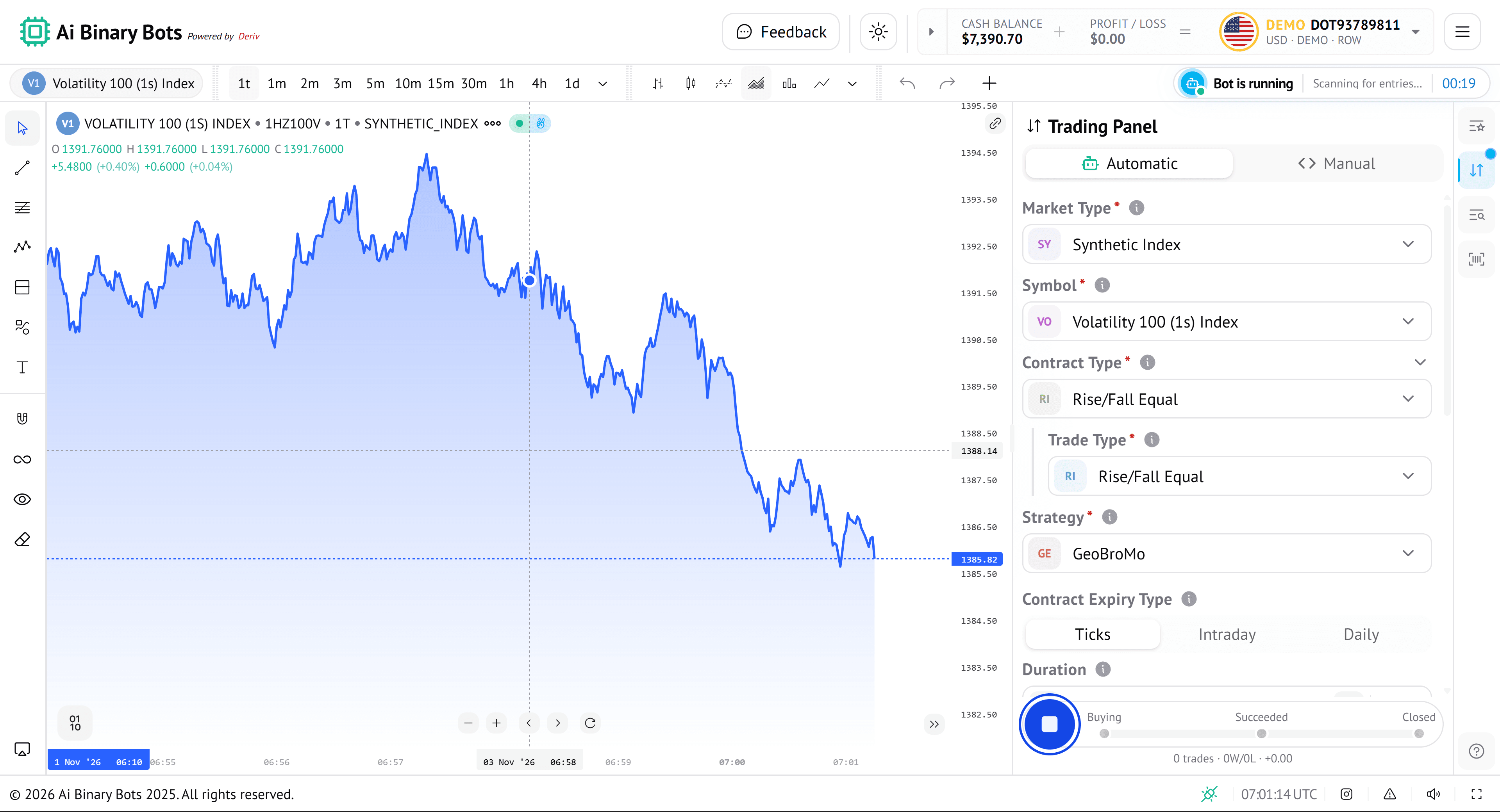
Smarter Trading. Calmer You.
Let AI Do the TradingPowered by Deriv
Smart. Automated. Precise. AI Binary Bots put artificial intelligence to work on Deriv, so you can set your strategy, launch your bot, and focus on what truly matters.
- AI-PoweredTrading Bots
- SmartStrategies
- Runs 24/7& Auto Trades
- Controlfrom Anywhere
Trusted by traders worldwide
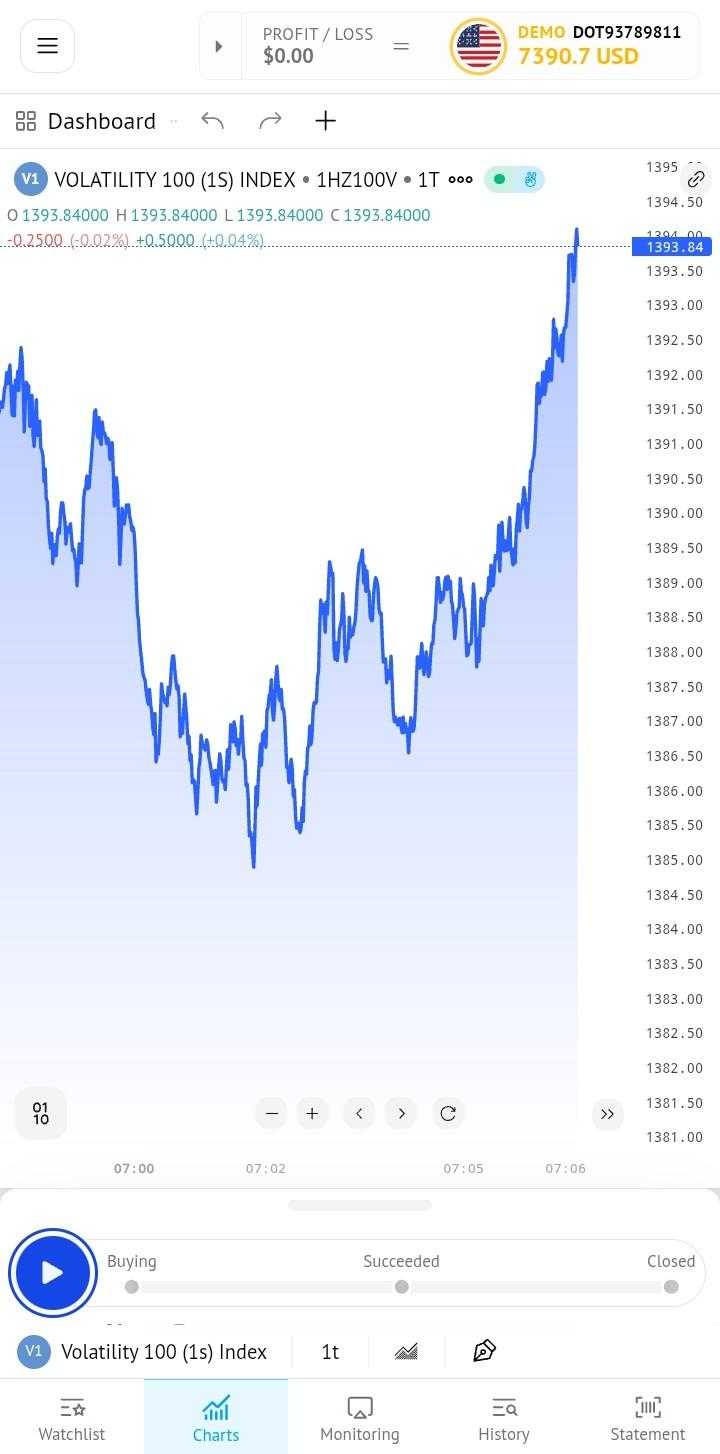
AI Binary Bots connects strategy, automation, and risk control in one place.
AI Binary Bots is more than a trading tool. It brings your whole Deriv trading workflow together — from choosing a ready-made bot to tracking every trade as it happens.
Pick a ready-made bot, practice on a demo account, then go live with the stake and risk limits you set yourself.
Fast
Launch a bot in minutes. It places trades automatically on Deriv, so you never miss an entry in fast-moving markets.
Controlled
Set your stake up front, add a stop loss and take profit that apply across a session, and follow live analytics to see how each strategy performs.
Everything You Need to Trade Smarter
Smart Strategies
Choose a ready-made strategy, such as GeoBroMo or GeoBroMoOverUnder, straight from the Trading Panel. Select it, press play, and your bot starts placing trades for you. No coding needed.
Live Analytics
Follow every trade from buying to closed, then review net P/L, win rate, drawdown and a performance curve. Statement analytics tracks your balance from 7 days to all time.
Custom Bots
Pick the market, symbol, contract type and trade type, then set your expiry in ticks, intraday or daily. Set your stake or payout, add a stop loss and take profit that apply across a session, and choose a progression strategy such as Martingale, d'Alembert, Fibonacci or Oscar's Grind.
Demo & Risk Insight
Practise on a Deriv demo account first, then switch to your real account from the account menu. Risk management limits and reward:risk, profit captured and largest loss show how each result really played out.
Unlock Smarter Trades
Live charts, trade tracking and analytics in one window
Every bot run leaves a clear record: itemised trades, a transaction statement and performance analytics. Test ideas on a demo account, learn from the results, and go live with greater confidence.
- Strategies
- Ready
- Practice mode
- Demo
- Powered by
- Deriv
Trusted by traders worldwide
How AI Binary Bots works
Set Up and Run a Bot in One Panel
Pick a market, symbol, contract type and strategy, then start your bot. The status bar shows what it's doing, and every trade is marked on the live chart.
- Choose market, symbol, contract type and strategy.
- For Digits contracts, choose a trade type such as Over and a digit from 0 to 9.
- Follow each trade from buying to closed.
- Practice first on a Deriv demo account.
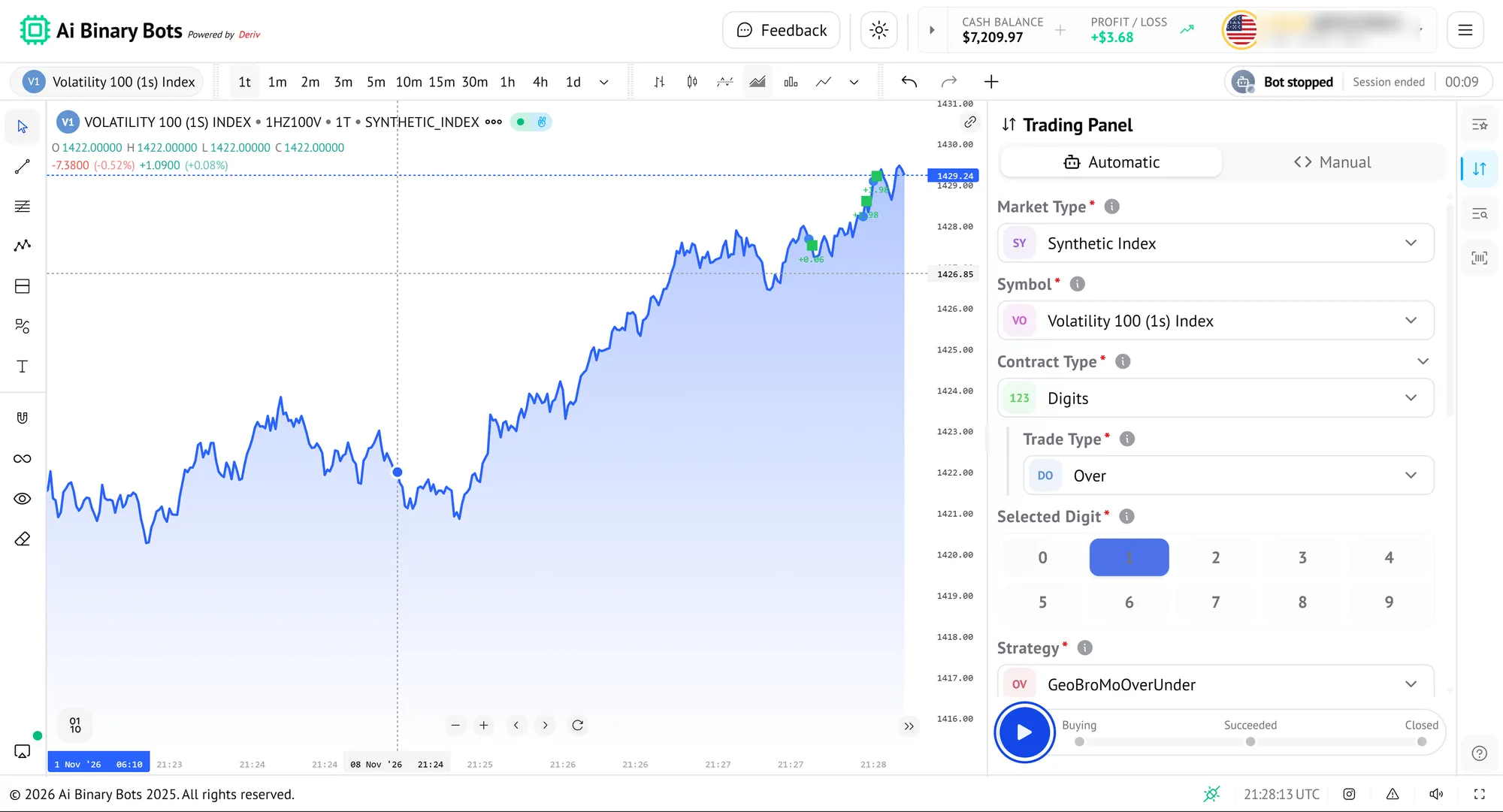
Browse Markets at a Glance
Synthetic markets are grouped and collapsible, each with a live price and how far it has moved. Select an instrument to trade it.
- Live price, change and % change for every instrument.
- Rows flash green or pink with each price tick, so movement is easy to spot.
- Collapsible groups such as Volatility and Boom & Crash.
- Sort the list to put what matters first.
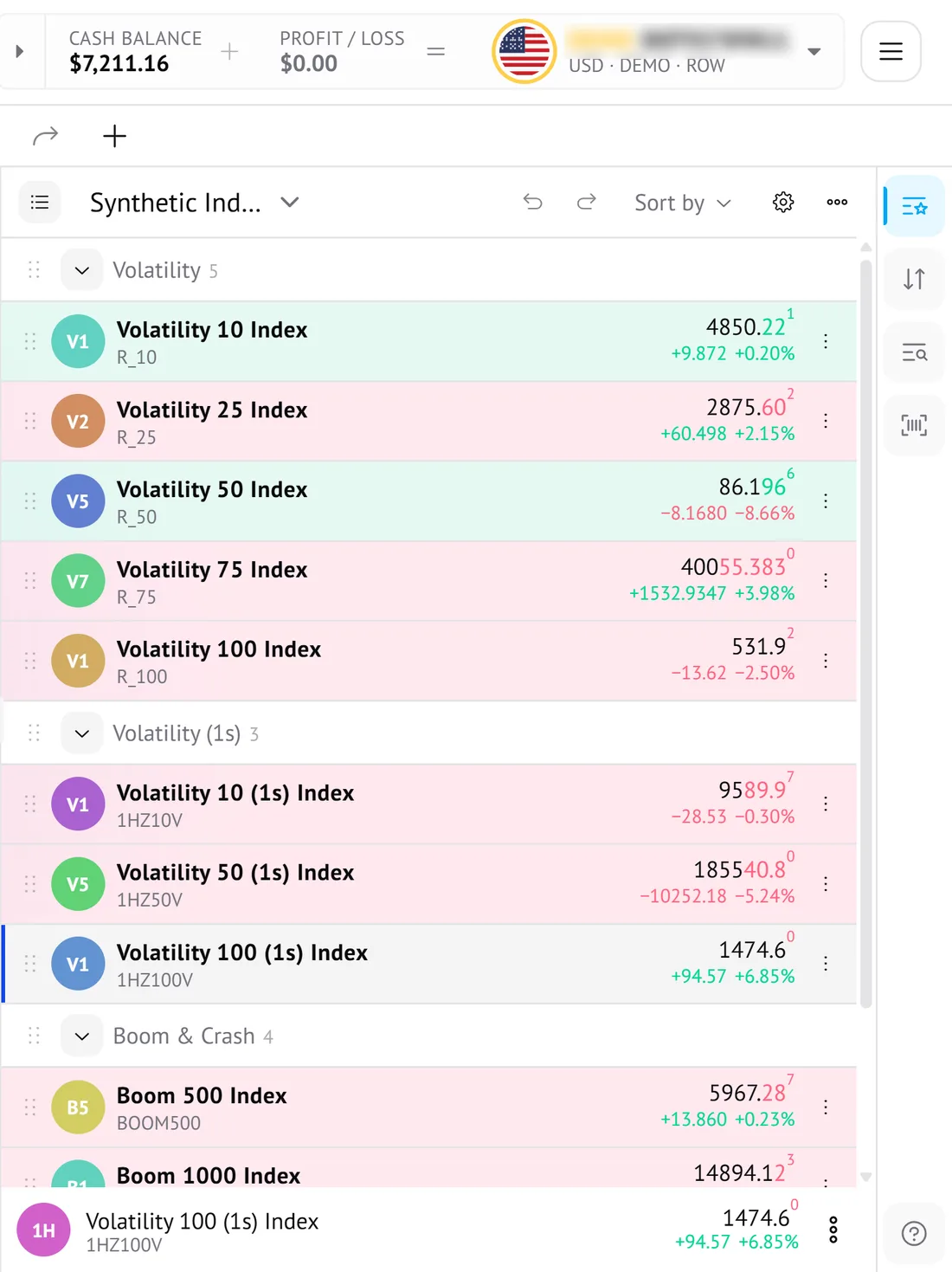
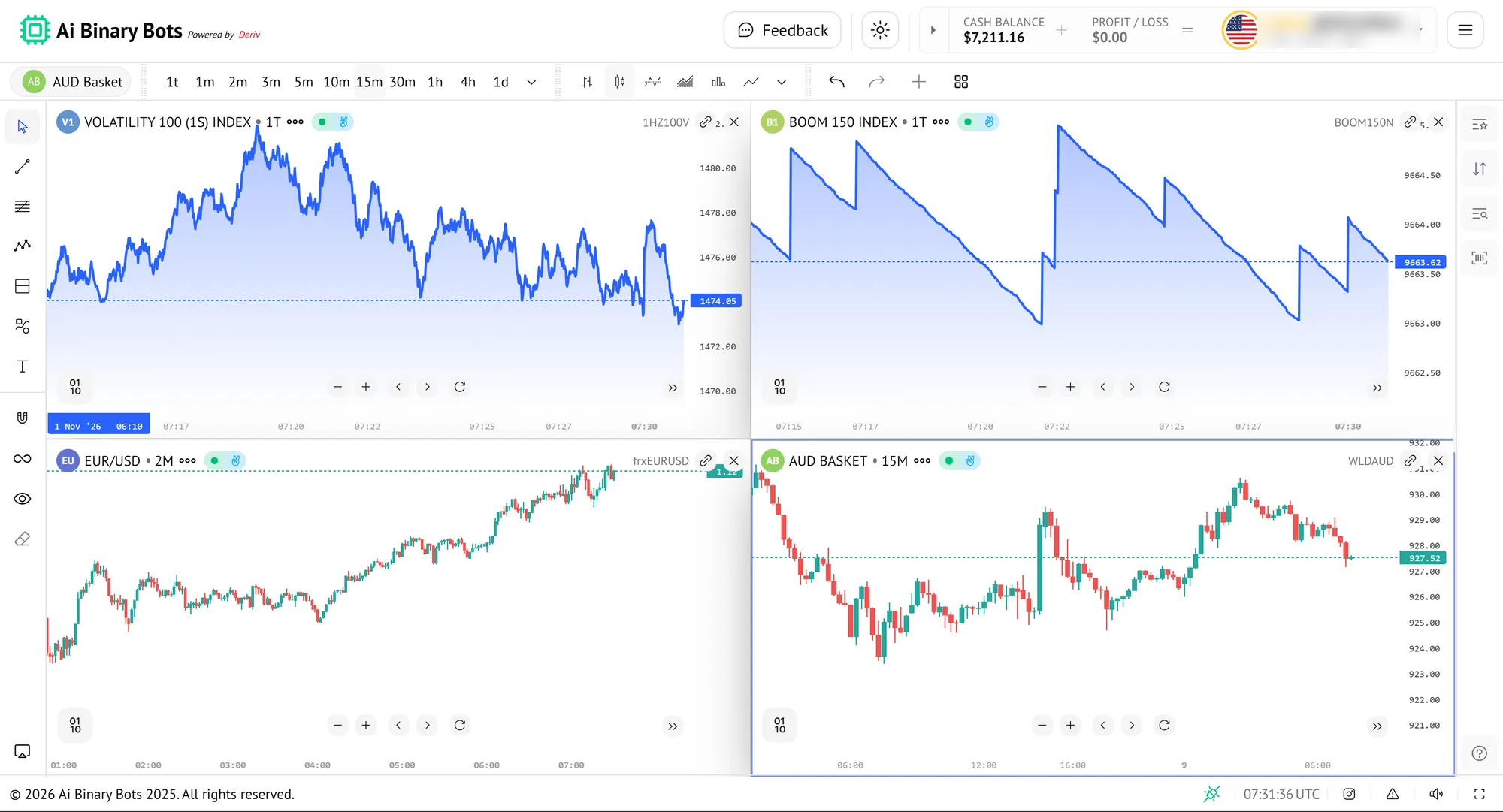
Watch Several Markets at Once
Open several charts in one window to follow different markets side by side, each with its own timeframe and style, without switching back and forth.
- Show markets together, for example Volatility 100 (1s), Boom 150, EUR/USD and AUD Basket.
- Give each chart its own timeframe, from ticks to minutes.
- Mix area and candlestick views.
- Sync charts using the link control on each one.
- Choose your layout from the toolbar.
- Close any chart with one click.
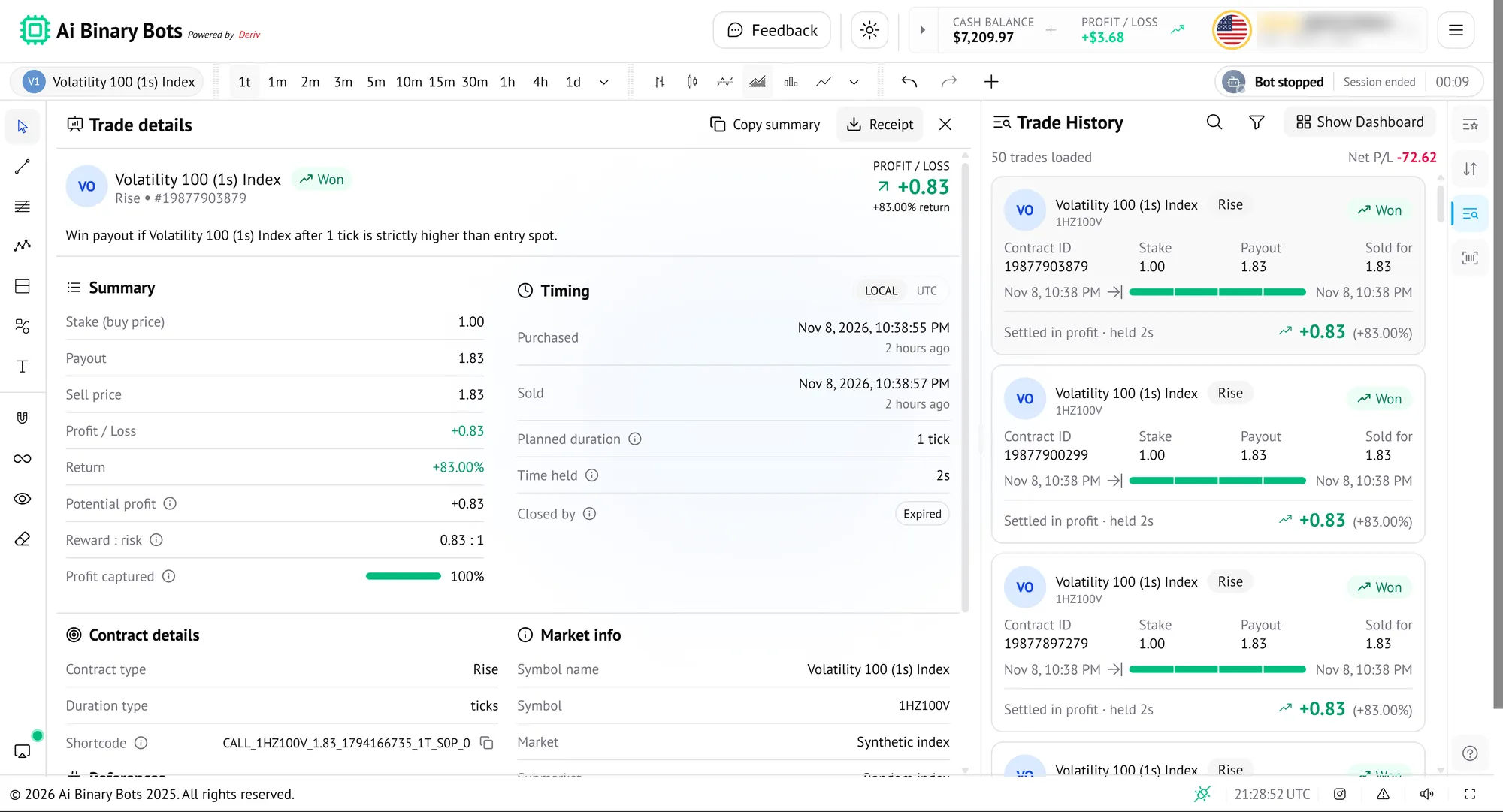
Every Trade, Itemised
See your net profit and loss across loaded trades, then open any trade for its full breakdown, so you can check exactly what happened and when.
- Won or lost, stake, payout and P/L on every trade.
- Summary, timing, contract and market details per trade.
- Copy a summary or get a receipt.
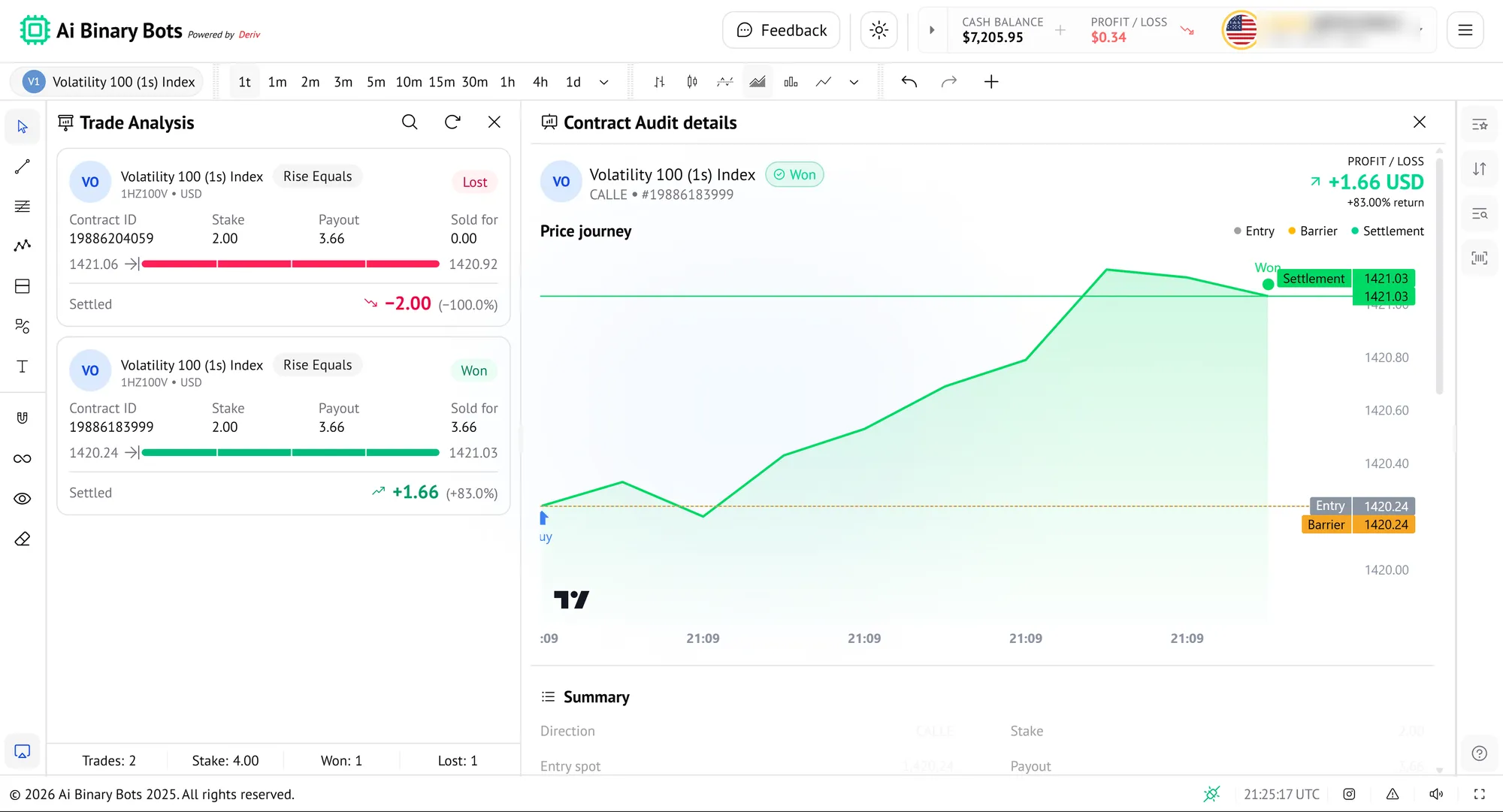
Understand Every Result
Review wins and losses with a running tally, then look back at a trade's price journey against its entry, barrier and settlement.
- Won and lost tally with total stake.
- Price journey chart marking entry, barrier and settlement.
- Profit or loss and return shown for each trade.
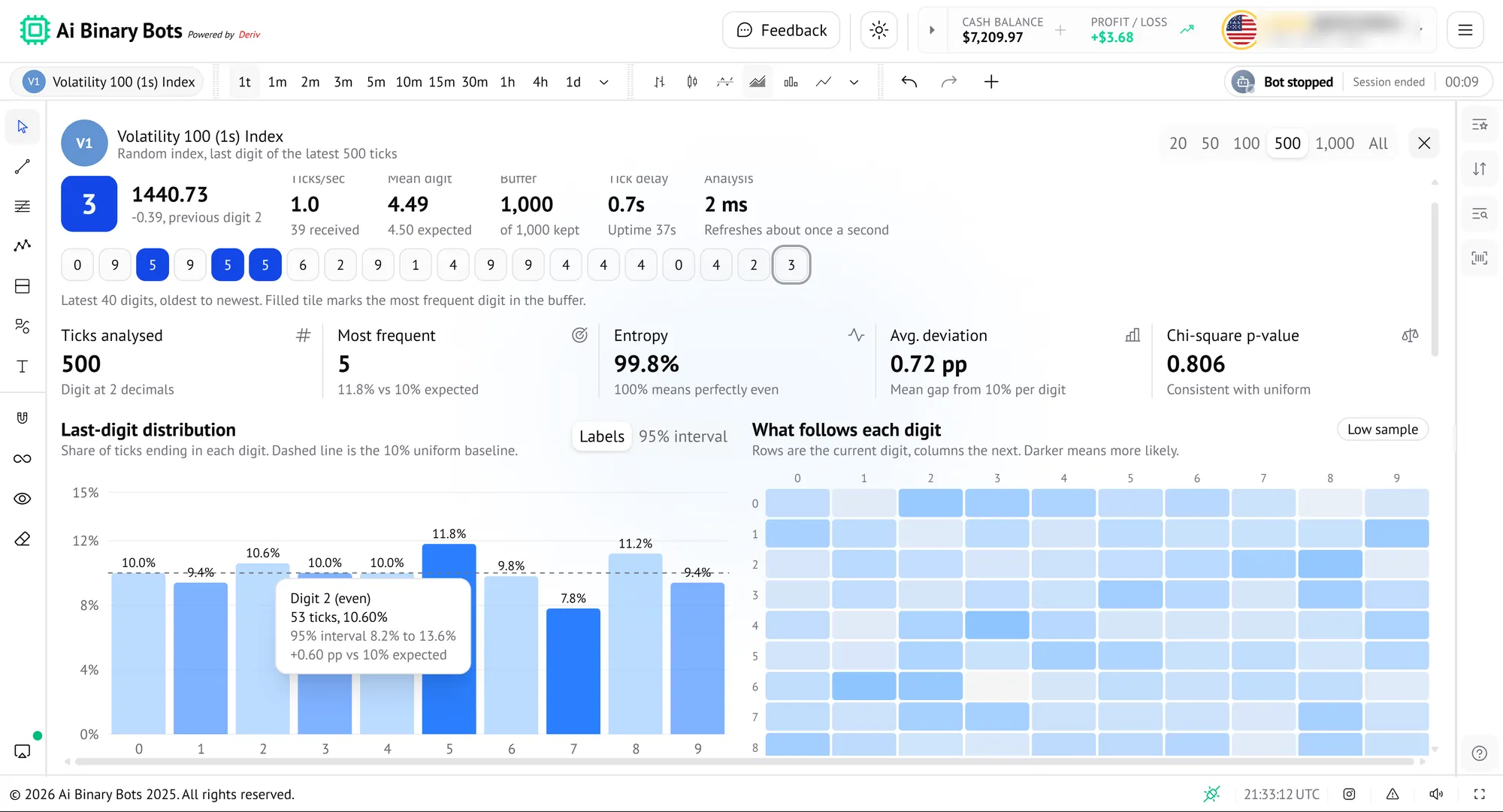
Go Deeper With Built-in Analytics
Beyond running a bot, the app helps you study the market and review your results, all in the same window.
See How Digits Are Behaving
Check how the last digit of recent ticks is spread before you trade, with live stats and charts for the market you've selected.
- Live stats: ticks per second, mean digit, buffer and tick delay.
- The latest 40 digits, with the most frequent one highlighted.
- Entropy, average deviation and chi-square p-value against an even spread.
- A last-digit distribution chart and a 'what follows each digit' heatmap.
- Analyse the last 20, 50, 100, 500, 1,000 or all ticks.
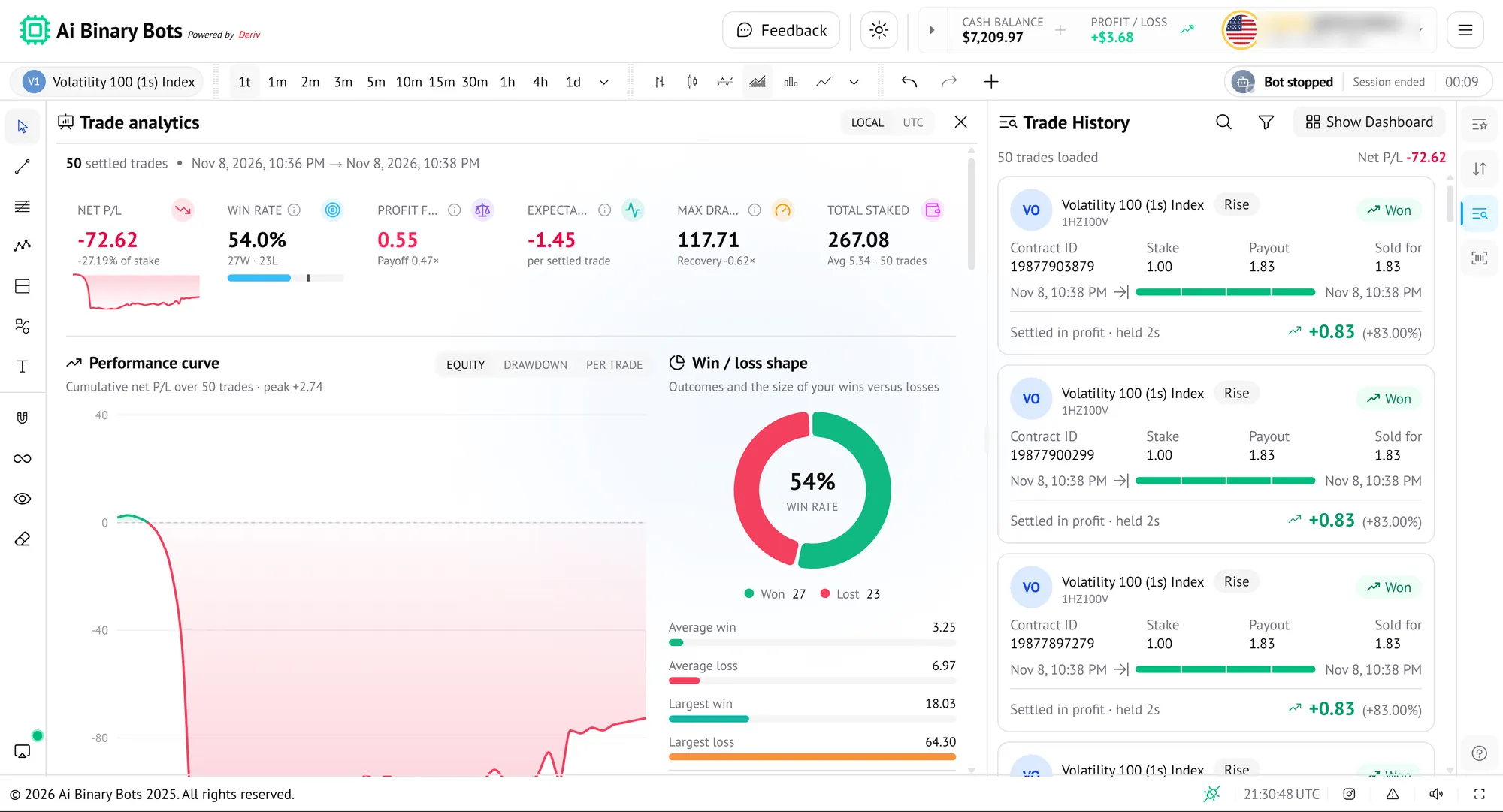
Measure How Your Bot Performs
Turn a run of settled trades into numbers you can act on, from win rate to drawdown, alongside your trade history.
- Net P/L, win rate with wins and losses, and total staked.
- A performance curve you can view as equity, drawdown or per trade.
- Win/loss shape with average win, average loss, largest win and largest loss.
- Switch times between local and UTC.
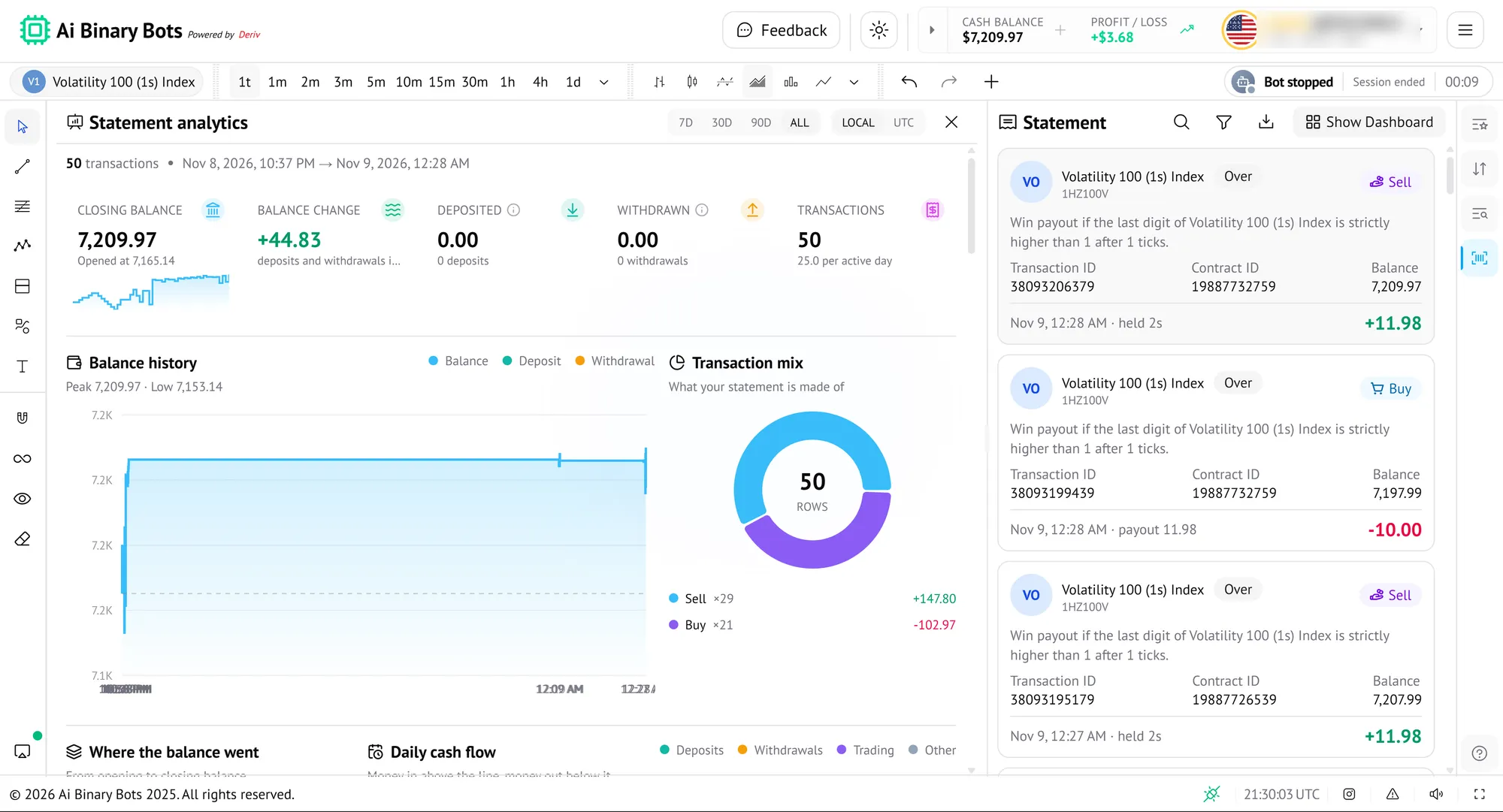
Follow Your Balance Over Time
See what happened to your account balance across a period you choose, not just individual trades.
- Closing balance, balance change, deposited, withdrawn and transaction count.
- Choose 7 days, 30 days, 90 days or all time.
- A balance history chart with peak and low.
- A transaction mix showing buys and sells, plus cash-flow breakdowns.
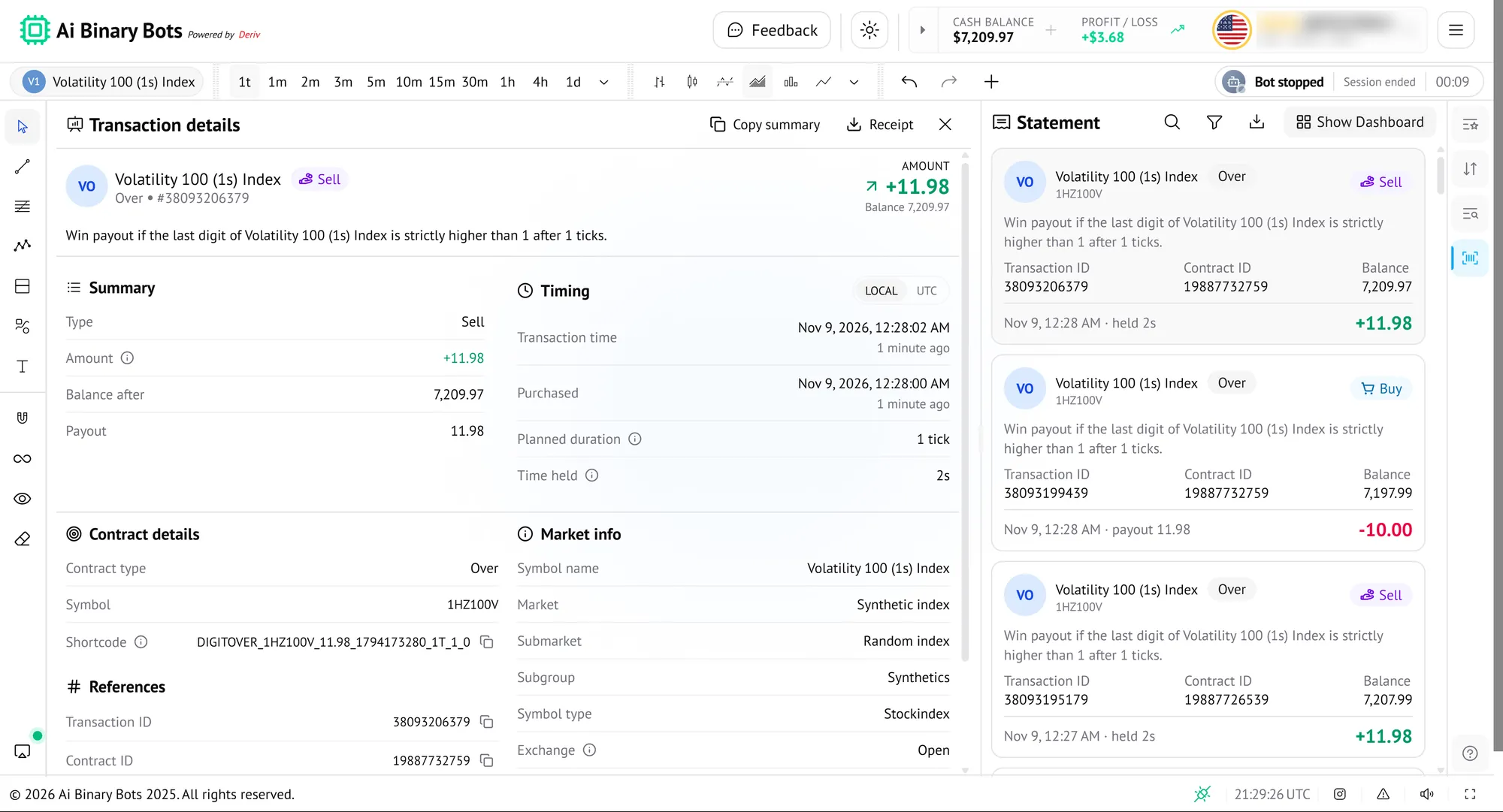
A Clear Record of Every Transaction
Each buy and sell is listed with the contract it belongs to and your balance afterwards, so your records always add up.
- Buys and sells labelled, with the amount in or out.
- Transaction ID, contract ID and balance after each one.
- Open any transaction for its summary, timing and contract details.
- Search, filter and download from the Statement panel.
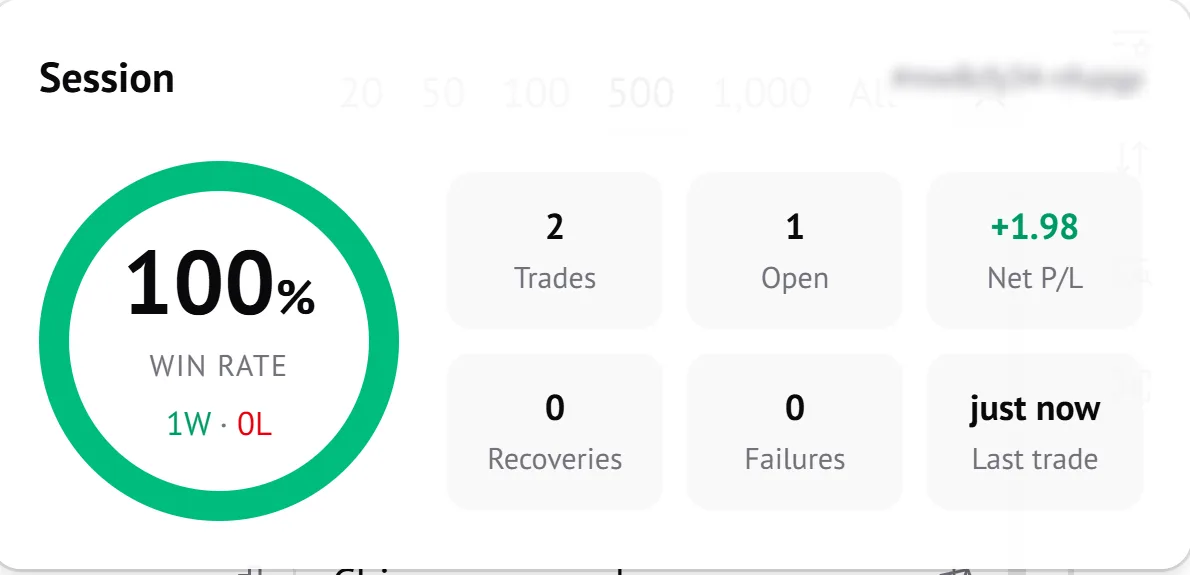
Your Session at a Glance
A compact card keeps the current session's results in view while your bot works.
- Win rate with wins and losses.
- Trades, open trades and net P/L.
- Recoveries, failures and when the last trade happened.
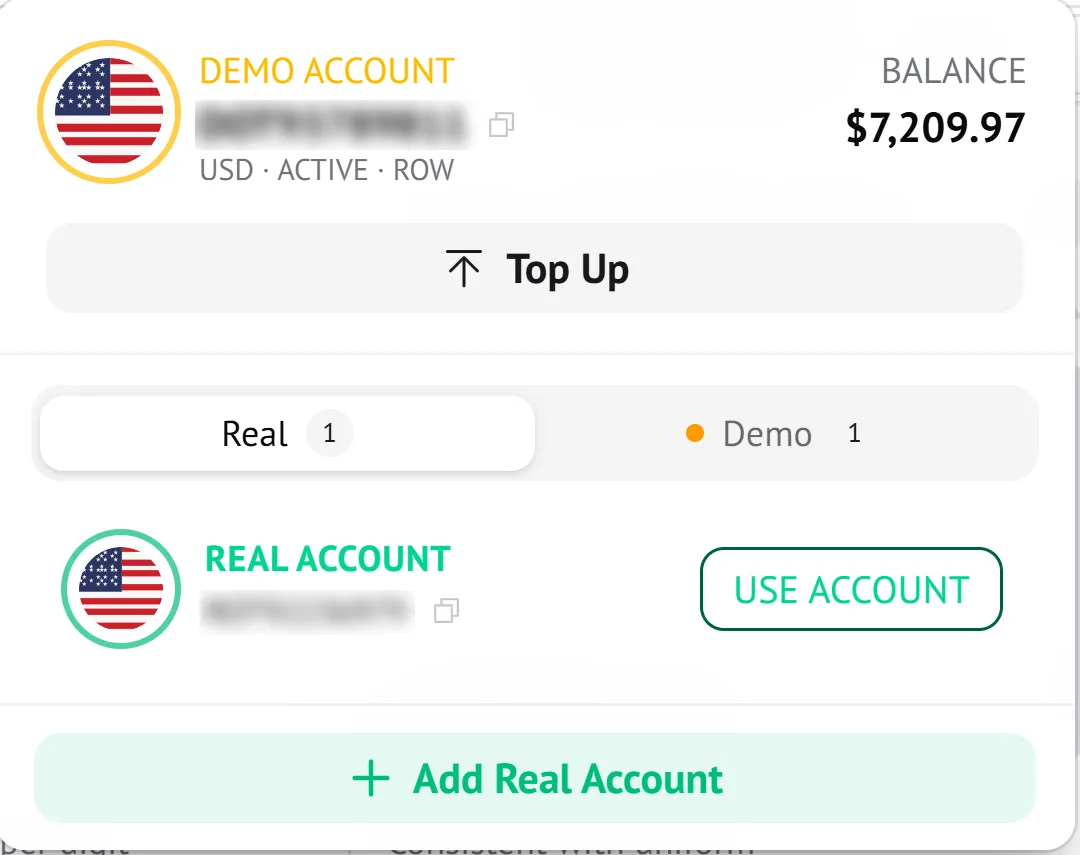
Switch Between Demo and Real
Keep a demo account for practice and your real account for live trading, and move between them from the account menu.
- See the active account's type, currency and balance.
- Top up from the same menu.
- Switch between Real and Demo accounts with one button.
- Add a real account when you're ready.
What Your Bot Can Trade
Every bot trades through your own Deriv account, so your funds stay with Deriv. Choose from every Deriv contract type and let the bot place each trade for you, exactly as you set it up.
How your bot puts them to work
Set your trade
Choose the market, contract type and your stake or payout.
Manage your risk
Switch on risk management with a stop loss and take profit that apply across a session, and pick a progression strategy such as Martingale, d'Alembert, Labouchere, Fibonacci, Grand Martingale or Oscar's Grind.
Test on demo
Run the bot on virtual funds first, then switch to a real account when you're ready.
Frequently Asked Questions
Everything you need to know about AI Binary Bots, how they work with Deriv, and how to get started safely.
Still have a question?
Chat with our team and we'll help you connect your Deriv account and launch your first bot.
Chat with SupportReady to Automate Your Trades?
Set your strategy, launch your bot, and let AI do the work on Deriv. Start on a demo account and go live when you're ready.
- Practice on a demo account
- Quick setup
- Works with your Deriv account
Trading binary options involves a high level of risk and may not be suitable for everyone. You could lose your entire stake. This is not investment advice.